Government Communication System
The government letter from draft to archive, on your institution's own servers
Zajil is one system that registers incoming, outgoing and internal letters under one registration number, passes each letter along its approval chain, routes it with a deadline counted in working days, then deposits it in an archive with an integrity fingerprint. Every step is recorded with its actor and its time.
- On the institution's own servers; the letter cycle needs no outside connection
- A three-level security classification governs visibility and routing
- Two complete interfaces, Arabic and English, on web and mobile
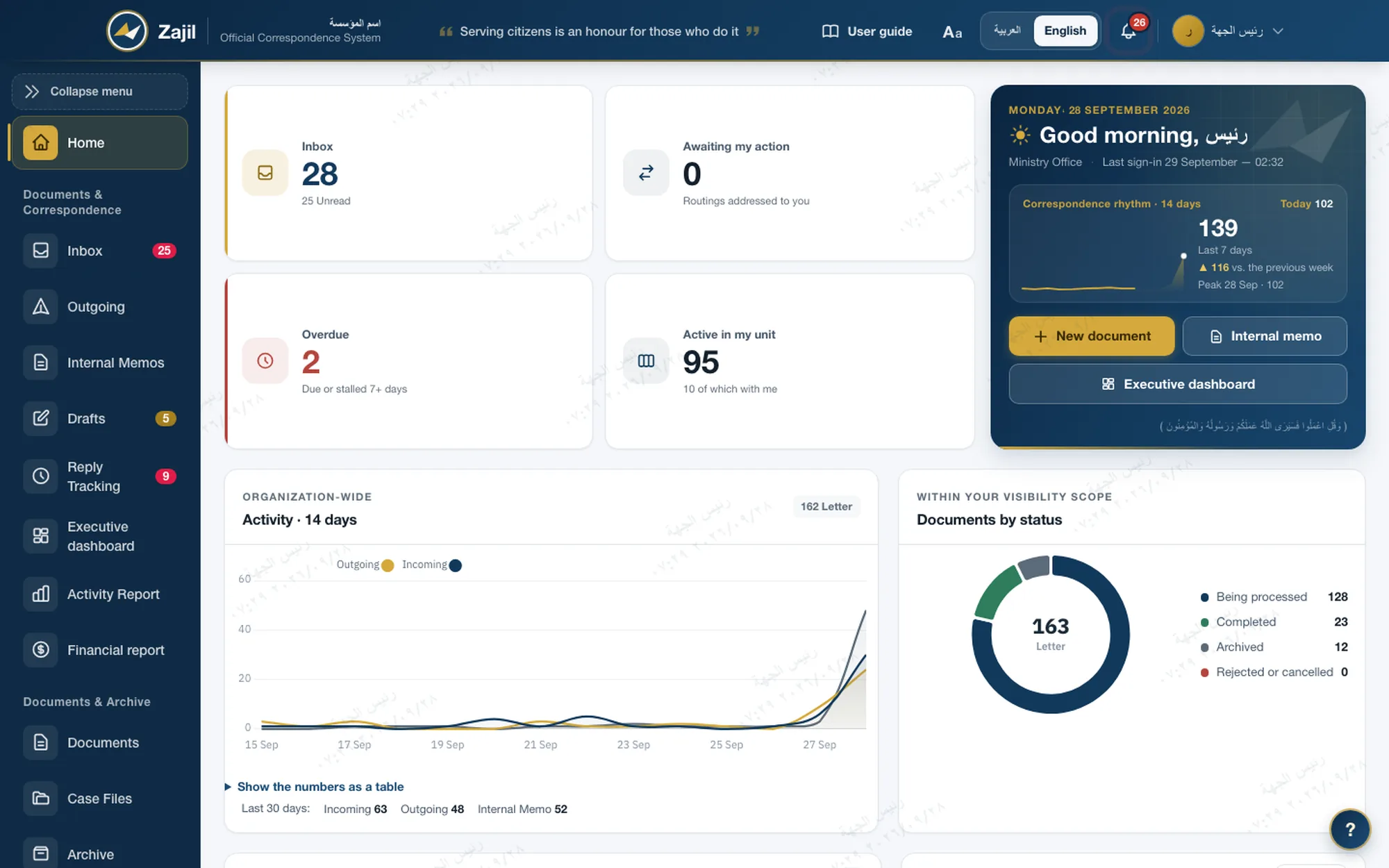
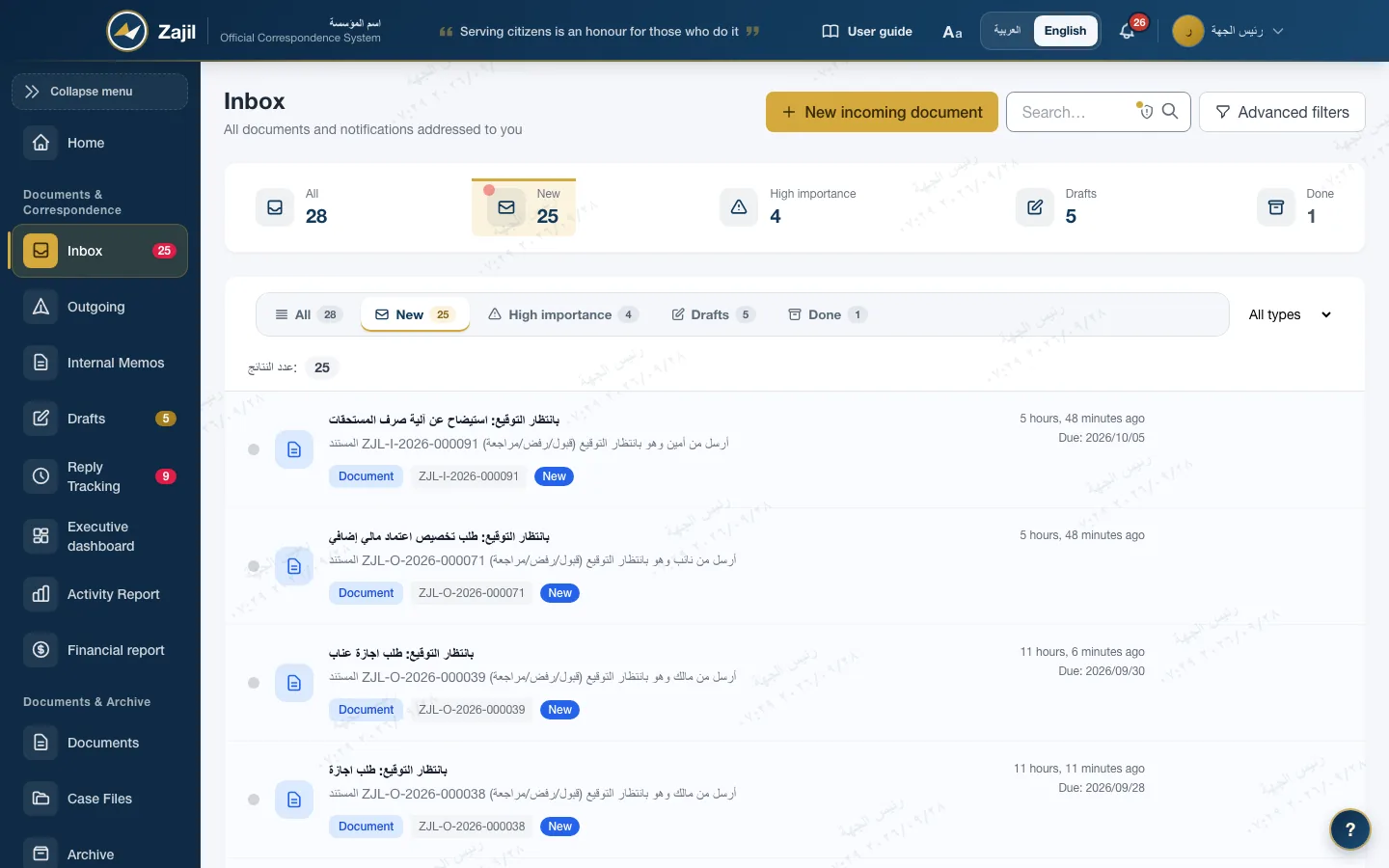
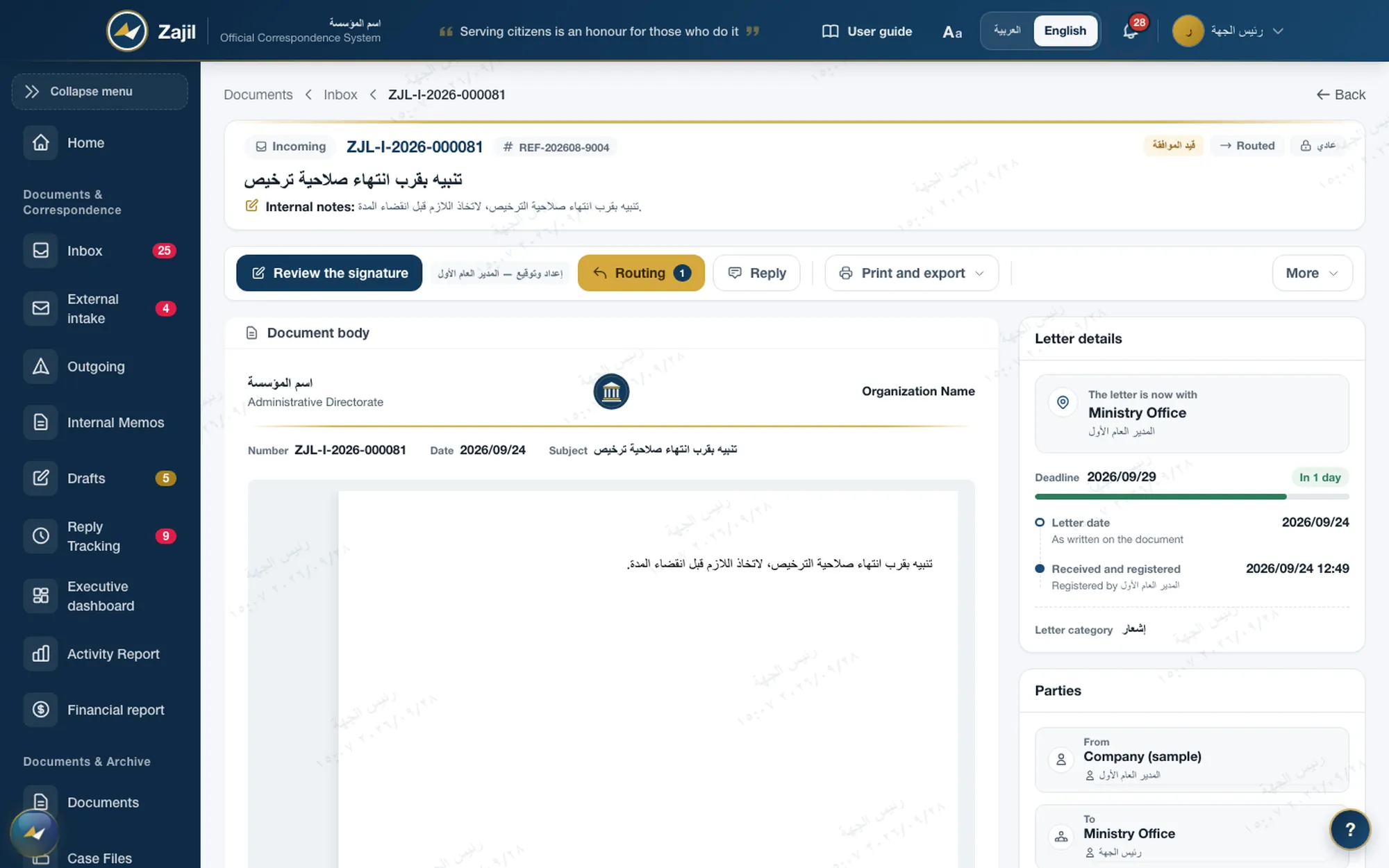
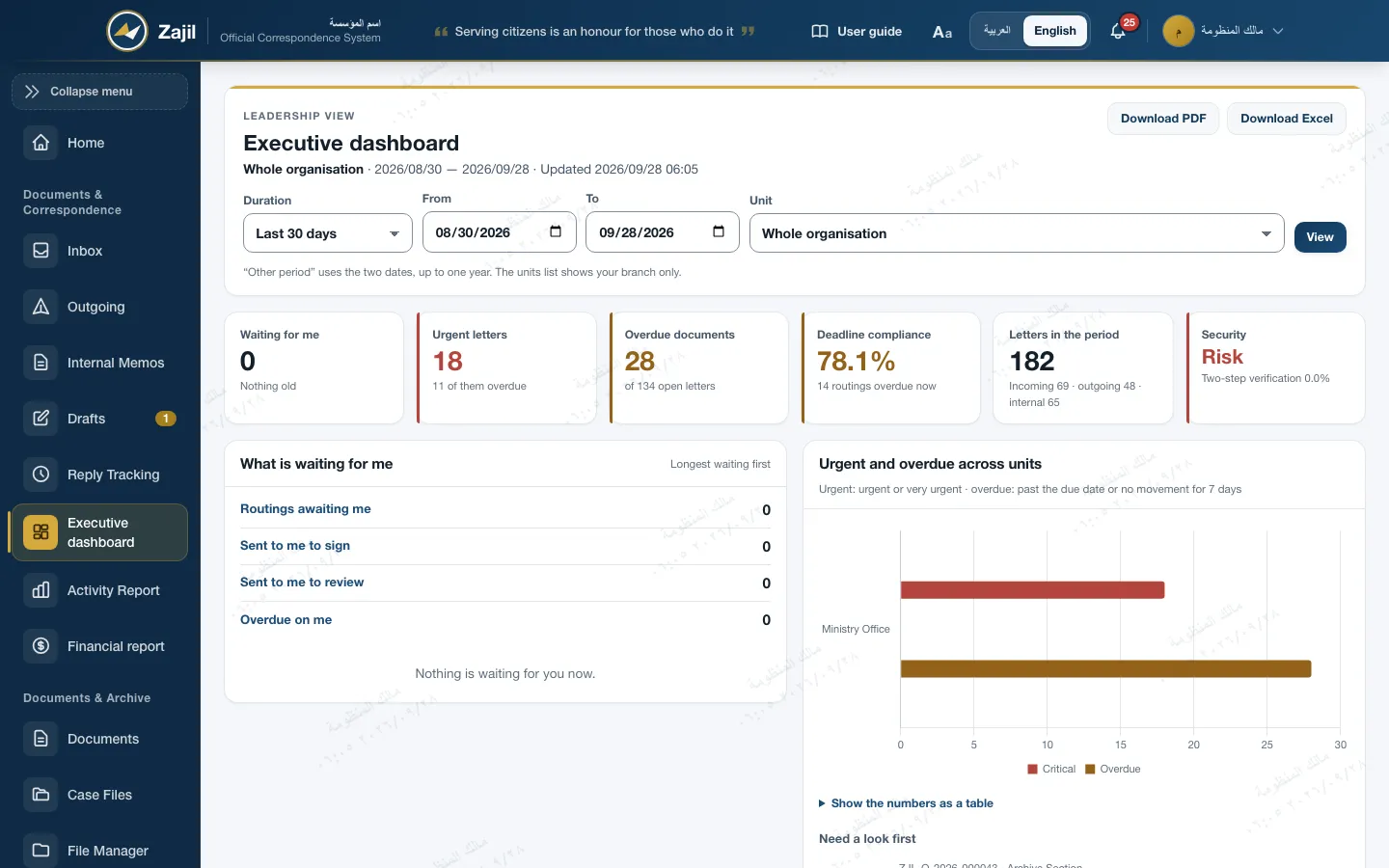
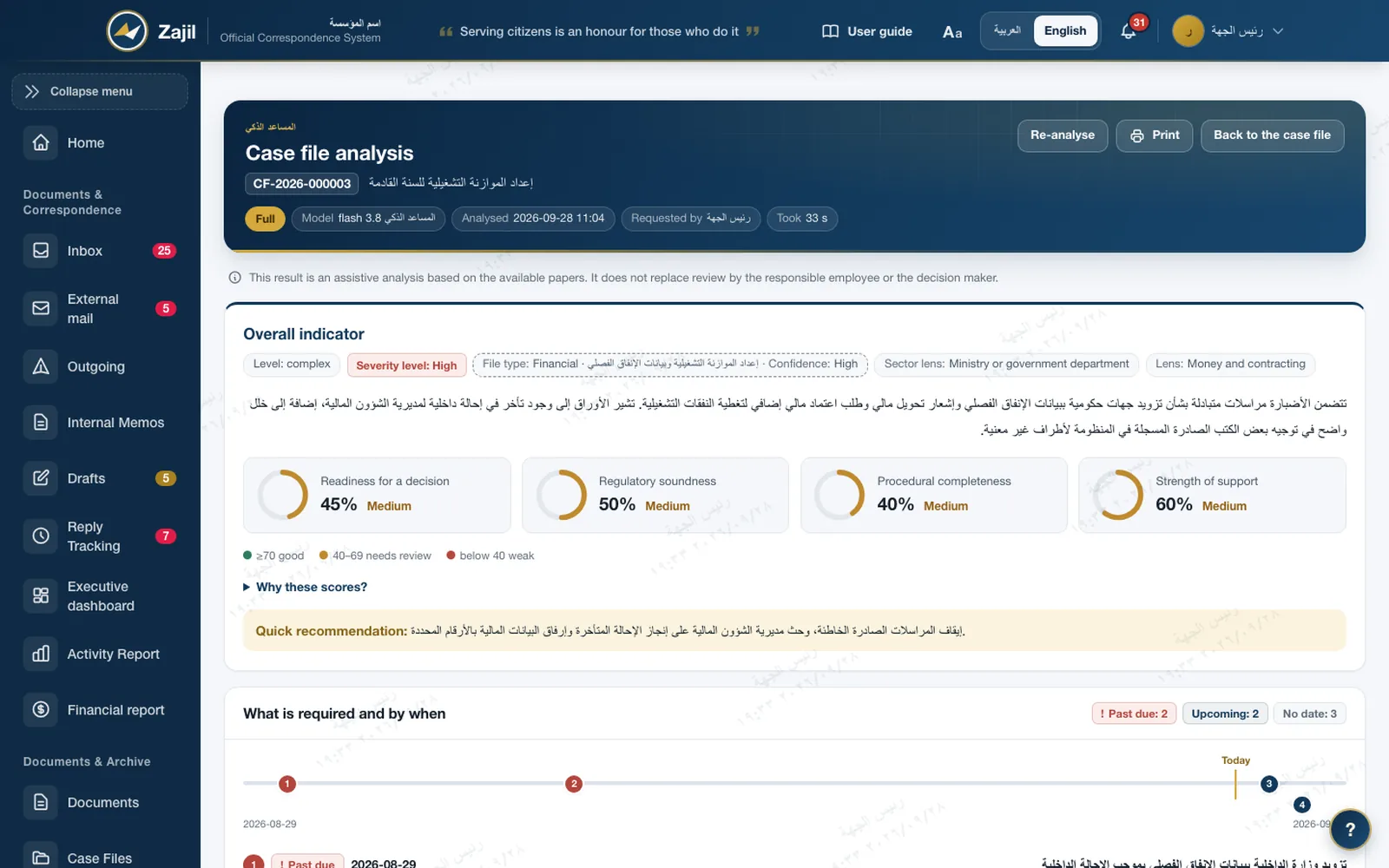
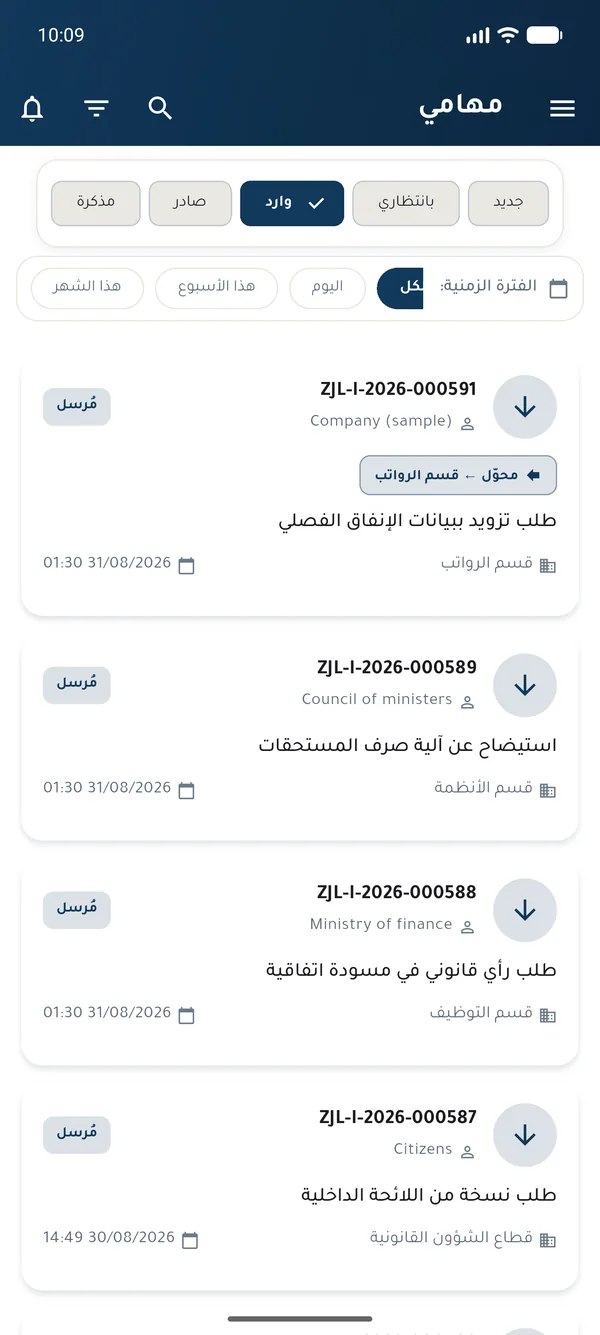
Dashboard Incoming and overdue counters, letter activityReal screens from the system with sample data, with the mobile app.
What Zajil solves
Where time is lost in the registry, and what changes
Problems every government registry knows, and against each one exactly what Zajil does.
Nobody knows where the letter is
Every letter has a status, a location and a deadline. The head sees what is overdue in the unit; staff see what is waiting for them.
Numbers and dates are written by hand
The registration number is issued automatically in one format for the institution, and the letter date is kept apart from the registration date.
Signing waits for the signer to be present
Approval reaches the person with authority on web or mobile, and delegation is recorded with who delegated to whom.
The archive piles up and nobody searches it
A finished letter is deposited with an archive number and a retention period, and is retrieved by searching its data.
Confidentiality rests on good intentions
A secret letter cannot be routed to anyone cleared below its classification, and the organisation can bar the system administrator from reading letters.
E-mail sits outside the register
The institution's incoming e-mail lands in a sorting queue and is registered as an incoming letter after its attachments are checked.
Zajil Pen and AI
The letter draft from the case file, case file analysis, and contract review
AI inside the same working screens, gathering only what the staff member can see and writing to patterns the institution approves. The decision stays with the staff member.
- Zajil Pen in the letter formIt drafts from the letters you can see, and every number in it has a source. Anything without one stays a marked blank.
- Case file analysisA takeaway, deadlines, risks and gaps, and a knowledge map that shows who wrote to whom and where the defect is.
- Contract reviewClause by clause against the legal references your institution enters. Audit help, not legal advice.
- Dictation and asking your lettersDictate then review the text, and ask your letters for an answer drawn from them alone, with their numbers.
Off until the institution turns it on with its own key, and not enabled on the public live demo.
What should the letter say?
- Letter type: outgoing letter
- Addressee read: Ministry of Finance
- A reply to letter ZJL-I-2026-000092; I will read its thread.
- Gathering the case file within your permissions…
- Found 2 letters to rely on and 7 facts
- Pattern: reply with approval · evidence coverage 100%
Case file
- F1Your incoming letterZJL-I-2026-000092
- F2Its date2026-09-01
- F3Its subjectRequest to extend the accounts settlement deadline
- F4Original deadline2026-09-15
- F5EntityMinistry of Finance
- F6Our first letterZJL-O-2026-000058
- F7New deadlineend of the month, from your request
SubjectApproval to extend the accounts settlement deadline
Greetings,
With reference to your letter No. ZJL-I-2026-000092 dated 2026-09-01 requesting an extension of the accounts settlement deadline set for 2026-09-15,
F1F2F3F4we inform you of our approval to extend the deadline to the end of the current month, provided the settlement is completed as set out in our letter No. ZJL-O-2026-000058.
F7F6Yours sincerely.
What I could not find:
Written by an AI model from the case file: a draft you review and complete before sending. Nothing is sent without your decision.
Map of the system
Centers that work on one register and one set of permissions
Administrative Correspondence is the foundation, and the other centers build on it. Two of them are optional modules, enabled on request.
 ZajilOne register of letters, one classification, one audit trail
The letter cycle
One path from draft to archive
The letter never leaves the system at any stage, and every move between stages is recorded with its actor and its time.
- DraftWritten with its kind and classification
- ReviewThe direct supervisor reviews or signs
- ApprovalOrdered steps for those with authority
- Official sealOutgoing number and verification code
- RoutingTo the responsible unit, with a deadline
- ArchiveArchive number and retention period
Rejected or returned for reviewIt goes back to its author with notes, and the log keeps the reason.
Why Zajil
Built for a government body: the data stays with it, and the trail cannot be erased
- It runs on your serversThe application, the database and the attachments sit in the institution's data centre, and the fonts and libraries are part of the installation. No third-party cloud.
- The administrator manages and does not readUnder a policy the organisation turns on, the system administrator runs accounts and settings and does not open letter bodies. Reading a given letter needs a live grant that is recorded in the log.
- A trail that cannot be edited or deletedEvery action on a letter is recorded with its actor and its time, and the audit log is closed to editing in how the system is built.
- The institution's identity comes from settingsName, logo, letterhead and numbering prefix, and the Gregorian or Hijri calendar, set from the screen with no programming.
9f2c7a41d0…3be1e05b4b1d93c0a7…58f07a2eARC-2026-000031 · 2026-09-14Standards
Designed to support the standards evaluation committees ask about
Every standard here has a working control in the system. This is design that supports the institution's compliance, not a certificate.
- Information security
- ISO/IEC 27001NIST SP 800-50CIS ControlsClassification and marking of letters, access by permission and clearance, logs that cannot be deleted, and security awareness.
- Document quality
- ISO 9001Clause 7.5: approved documents under four-eyes review, versions numbered with the reason for change, and periodic review.
- Records and archive
- ISO 15489A file plan and retention periods, disposal by decision, and an integrity fingerprint on every record.
Get in touch
Request a briefing for your institution
We carry out the installation and the initial setup: the institution's identity, structure and roles. Before that, try the live demo with ready-made accounts.
- Installation on the institution's servers or in its data centre.
- Import of the organisational structure and unit types.
- Setup of roles, permissions and the security classification.
- Building the official templates with their signatures and seals.
- Training the technical team on operation and backup.
Write to us
Tell us the name of the institution and the approximate number of users.